
Rate Trade Flow Planner
Send a star rating and a short review. It is published only after you consent and an admin approves it.
Last updated
Rate and Review is public feedback about the product. It is separate from a private note to support. Nothing you write appears on the website until you have agreed to that, and until it has been approved.
You need to be signed in with a confirmed email. Each person has one review. Sending it again updates that same review and puts it back in the queue. Several people in one workspace can each leave their own.
Who can do this
- Any signed-in, verified member of a workspace can submit a review, whatever their role on the jobs.
- Approving, rejecting or removing a review is a platform admin action. It is not something a workspace owner does from this page.
What will be refused
- The review cannot be submitted until you tick the consent box. Consent is for publishing the rating, the text, and the name, job title and company you entered, on the website and in marketing.
- Your email address is never published. It stays with your account so an admin can verify the review. Don't type an email into the name, company or review: the form refuses it.
- Updating a review that was already approved takes it off the public site until it is approved again.
- Withdraw consent and the review leaves the public site immediately. Request removal and it stays up until an admin acts.
- A review link in an email is tied to your account. It does not let someone else submit as you.
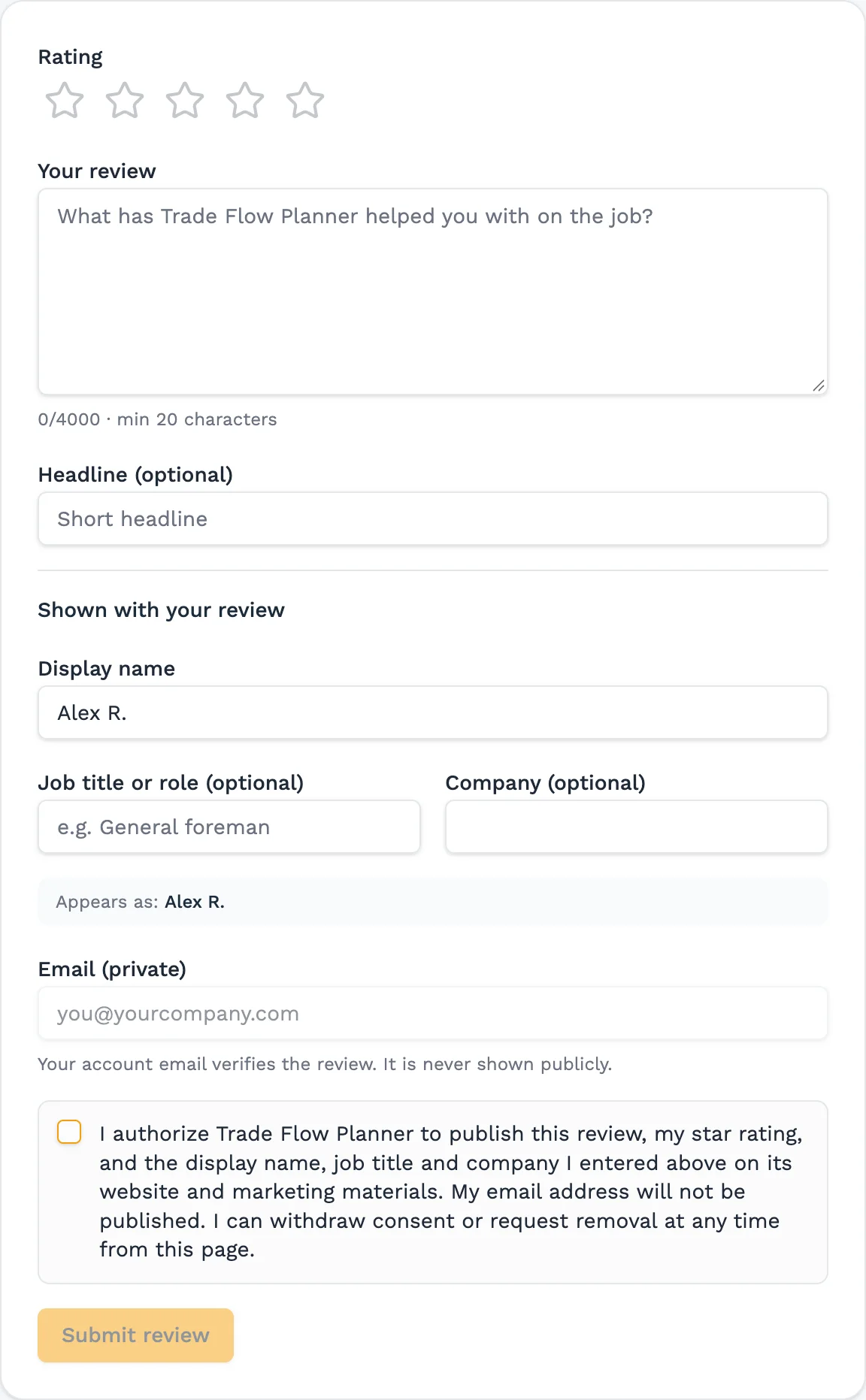
Open Rate and Review
Choose Rate and Review in the sidebar, or follow the invitation from the login page or from the email. Either way you sign in first. All three write to the same review.
Choose 1 to 5 stars
The rating is required.
Write the review
Say what the product did on the job. It needs at least 20 characters. A headline is optional.
Enter what is shown with it
A display name is required. Job title and company are optional. The form shows exactly how the review will be signed. The public page uses what you typed here and nothing from your profile.
Consent, then submit
Tick the consent box and select Submit review. The status starts as pending. You can refresh it on this page. Approved reviews are the only ones that appear on the site, with the stars, the text, the name, job title and company you entered, and the date.
Worth knowing
- The dashboard does not ask for a review in the first week, and it does not ask again once you have written one.
- If a review is rejected, the reason is on this page and you can edit and resubmit.
Still stuck?
Tell us the job and the dates involved and we'll usually answer without a call.
Or email Support@tradeflowplanner.com